GA4 vs Matomo: Which Analytics Platform Should You Choose?
Google Analytics 4 and Matomo are the two most popular web analytics platforms, but they take fundamentally different approaches to data collection, privacy, and ownership. This guide breaks down the key differences to help you choose the right platform for your needs.
If you’re new to web analytics, start there before diving into platform comparisons.
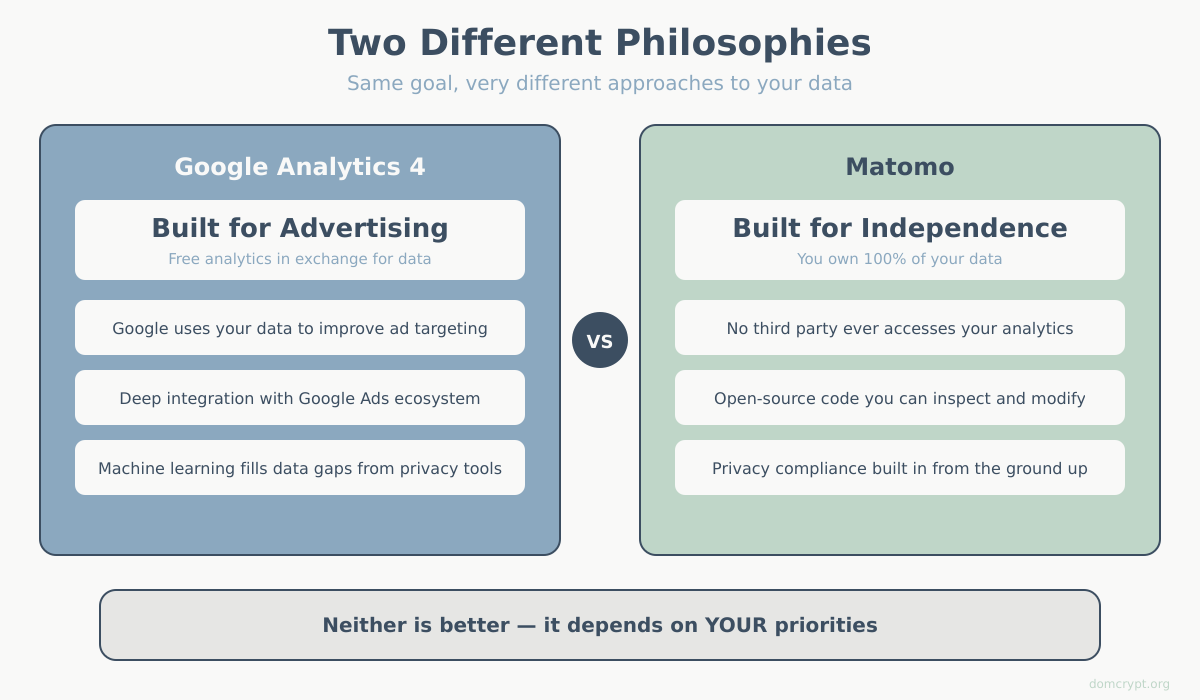
The Core Philosophy Difference
Before diving into features, understand what drives each platform:
Google Analytics 4 is built for the advertising ecosystem. Google offers it free because your data helps improve their ad targeting and machine learning models. You get powerful analytics in exchange for sharing (anonymized) data with Google. Learn more in our complete GA4 guide.
Matomo is built for data independence. Whether self-hosted or cloud-based, you own 100% of your data. No third party accesses it. This makes Matomo popular with privacy-conscious organizations and those under strict data regulations. See our Matomo analytics guide for details.
Neither approach is inherently better — it depends on your priorities.
Data Ownership and Privacy
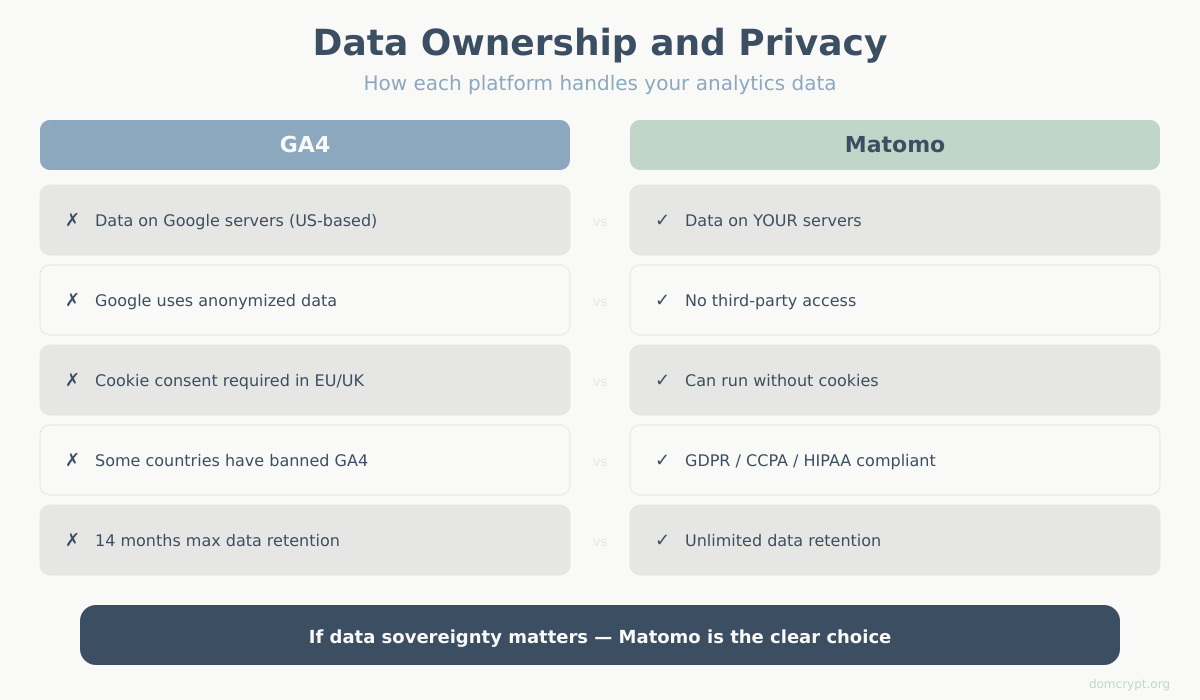
Google Analytics 4
- Data stored on Google servers (primarily US-based)
- Google uses anonymized data to improve their services
- Requires cookie consent banners in EU/UK under GDPR
- Some countries and organizations have banned GA4 due to data transfer concerns
- Data retention limited to 14 months maximum
Matomo
- Self-hosted: data stays on your own servers
- Cloud: data stored in EU with strict privacy guarantees
- Can run without cookies (reducing consent requirements)
- GDPR, CCPA, and HIPAA compliant out of the box
- Unlimited data retention (self-hosted)
If data sovereignty matters to your organization — whether for legal compliance, client confidentiality, or principle — Matomo is the clear choice.
Cost Comparison
| Platform | Free Tier | Paid Options |
|---|---|---|
| Google Analytics 4 | Unlimited (standard features) | GA360: $50,000+/year for enterprise features |
| Matomo Cloud | 21-day trial | From $23/month (50K hits) to custom enterprise pricing |
| Matomo Self-Hosted | Free forever (open source) | Premium plugins: $29-199/year each |
Hidden costs to consider:
GA4 is “free” but you pay with your data and time (steep learning curve). Matomo self-hosted is free but requires server resources and technical maintenance.
For small to medium sites, Matomo Cloud often costs $200-500/year. For larger sites, the costs can approach or exceed GA360, but you get full data ownership.
Feature Comparison in GA4 vs Matomo
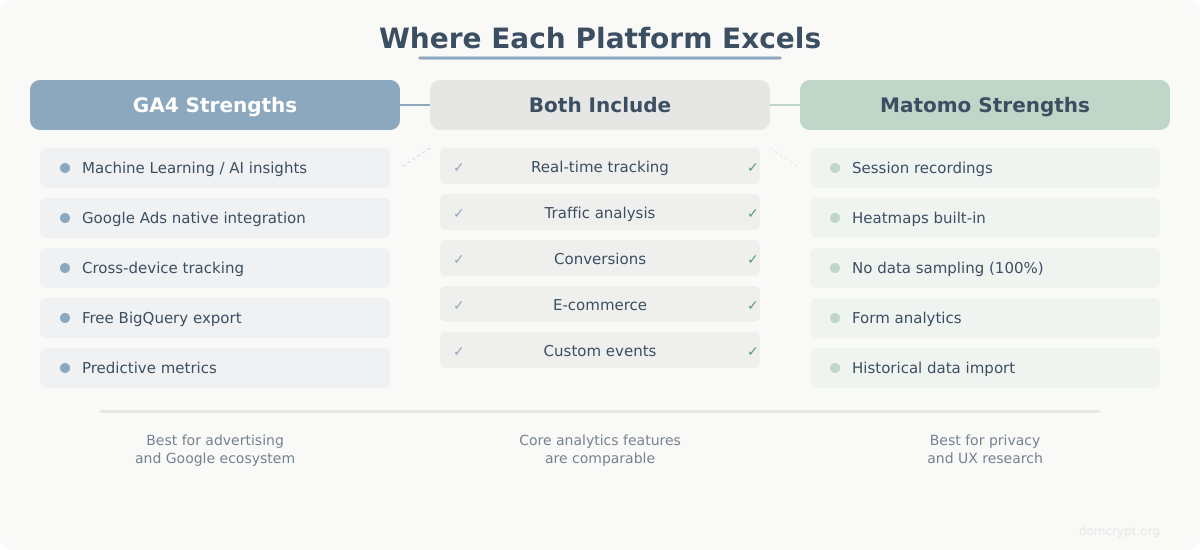
Core Analytics Features
Both platforms provide the essential web analytics metrics:
- Real-time visitor tracking
- Traffic source analysis
- Page and content analytics
- Goal and conversion tracking
- E-commerce tracking
- Custom events and dimensions
Where GA4 Excels
- Machine Learning: Predictive metrics, anomaly detection, and smart insights powered by Google’s AI
- Google Ecosystem: Native integration with Google Ads, Search Console, BigQuery, and Looker Studio
- Cross-device Tracking: Advanced user identification across devices via Google signals
- Free Advanced Features: Attribution modeling, path analysis, and funnel exploration at no cost
Where Matomo Excels
- Session Recordings: Watch actual user sessions (requires plugin)
- Heatmaps: Visual click and scroll tracking built-in
- Form Analytics: Detailed form interaction tracking
- No Data Sampling: Reports show 100% of your data, even at high volumes
- Import Historical Data: Migrate data from GA Universal Analytics
- Custom Reports: More flexible report builder than GA4
User Interface and Learning Curve
Google Analytics 4
GA4’s interface is a significant departure from Universal Analytics. Many long-time GA users find it confusing:
- Event-based model requires new mental framework
- Reports are less intuitive than UA
- Finding specific data often requires Explorations
- Documentation is extensive but scattered
Expect 2-4 weeks to become comfortable with GA4 if you’re new to analytics, longer if you’re transitioning from Universal Analytics.
Matomo
Matomo’s interface feels more traditional and familiar:
- Classic dashboard layout with clear navigation
- Reports are where you expect them to be
- Similar structure to Universal Analytics
- Comprehensive in-app documentation
Most users find Matomo easier to learn, typically becoming productive within 1-2 weeks.
Implementation and Setup
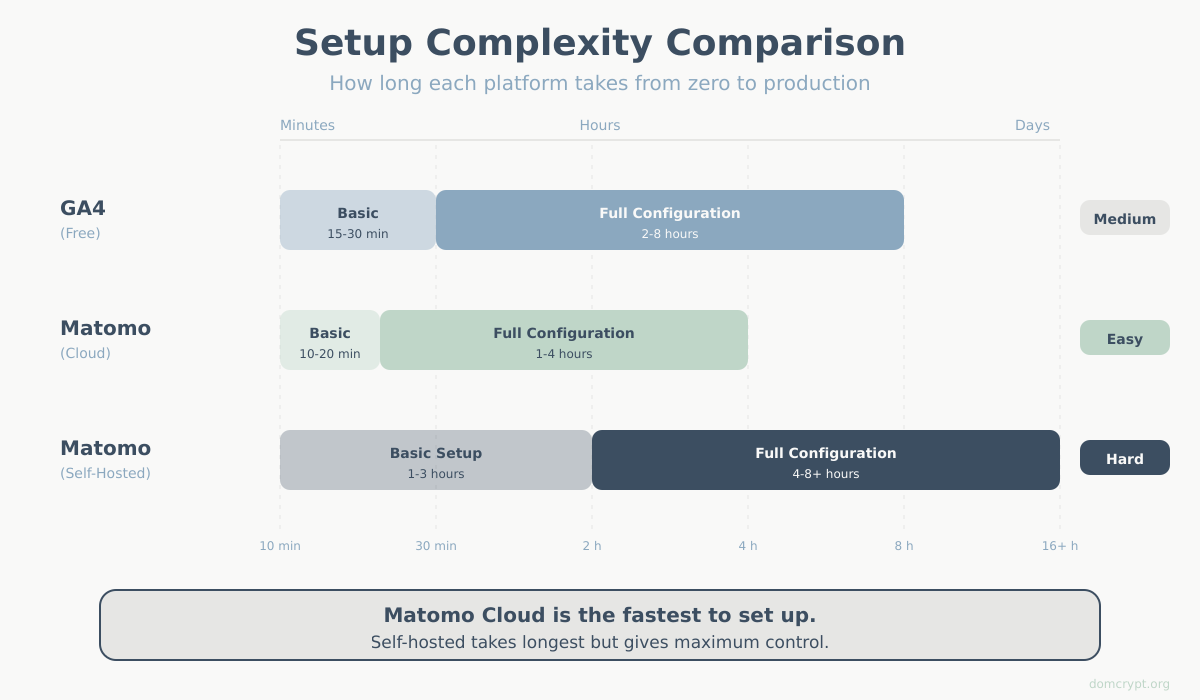
GA4 Setup
- Create Google Analytics account
- Add data stream for your website
- Install tracking code (directly or via GTM)
- Configure enhanced measurement
- Set up conversions and custom events
Time to basic tracking: 15-30 minutes
Time to full configuration: 2-8 hours depending on complexity
Matomo Cloud Setup
- Create Matomo Cloud account
- Add your website
- Install tracking code
- Configure goals and features
Time to basic tracking: 10-20 minutes
Time to full configuration: 1-4 hours
Matomo Self-Hosted Setup
- Set up server (PHP, MySQL required)
- Download and install Matomo
- Configure database and settings
- Add tracking code to website
- Set up SSL and security
- Configure backups and updates
Time to basic tracking: 1-3 hours (technical users)
Time to production-ready: 4-8 hours including security hardening
Integrations
Google Analytics 4 Integrations
- Google Ads (native, powerful)
- Google Search Console
- BigQuery (free export)
- Looker Studio (native)
- Firebase
- Most marketing platforms via standard connectors
Matomo Integrations
- WordPress, Drupal, Joomla plugins
- WooCommerce and Shopify
- Google Ads import (for attribution)
- API for custom integrations
- Looker Studio connector available
- Search Console data import
GA4 has the edge in marketing tool integrations, especially within the Google ecosystem. Matomo catches up with APIs and plugins but requires more setup.
When to Choose GA4
GA4 is the better choice if:
- You heavily use Google Ads and need tight integration
- Budget is zero and you need advanced features
- You want predictive analytics and ML-powered insights
- Your organization has no privacy restrictions on Google
- You need BigQuery integration for data warehousing
- You’re already invested in the Google ecosystem
When to Choose Matomo
Matomo is the better choice if:
- Data privacy and ownership are non-negotiable
- You must comply with strict GDPR, HIPAA, or government regulations
- You need session recordings and heatmaps without additional tools
- You want 100% unsampled data at any traffic level
- Your clients or users expect privacy-first tracking
- You need to keep analytics running if you leave the Google ecosystem
Can You Use Both?
Yes, and many organizations do. Running GA4 and Matomo together gives you:
- GA4’s machine learning and Google integrations
- Matomo’s privacy-compliant backup and full data ownership
- Cross-validation of data accuracy
- Insurance against platform changes or bans
The downside: two tracking scripts can slightly impact page speed, and you’ll spend more time managing dual systems. For most sites, this overhead is minimal.
Making Your Decision
Ask yourself these questions:
- Is data privacy a legal or ethical requirement? Choose Matomo.
- Do you rely heavily on Google Ads? Choose GA4.
- Do you need heatmaps and session recordings? Matomo includes them; GA4 requires third-party tools.
- What’s your budget? GA4 free is unbeatable for features per dollar.
- How much maintenance can you handle? GA4 is hands-off; self-hosted Matomo requires server management.
There’s no universally “better” platform. The right choice depends on your specific requirements for privacy, budget, features, and technical resources. For more guidance, see our article on how to choose the right analytics platform.
Summary
Google Analytics 4 and Matomo serve different masters. GA4 offers powerful free analytics in exchange for data sharing with Google. Matomo offers complete data ownership at various price points from free (self-hosted) to paid cloud services.
For privacy-first organizations, especially in EU healthcare, finance, or government sectors, Matomo is often the only compliant choice. For marketing-focused teams deeply embedded in Google’s ecosystem, GA4’s integrations are hard to beat.
Consider running both if you need the best of both worlds — just be prepared for the extra setup and maintenance.