15 Essential Web Analytics Terms Every Beginner Should Know
You open Google Analytics for the first time. The dashboard throws numbers at you: sessions, users, bounce rate, conversions. What do these actually mean?
This glossary covers 15 essential web analytics terms. Each definition is practical — not textbook — so you can understand your reports and have meaningful conversations about your website’s performance.
Traffic Metrics: The Foundation of Web Analytics Terms
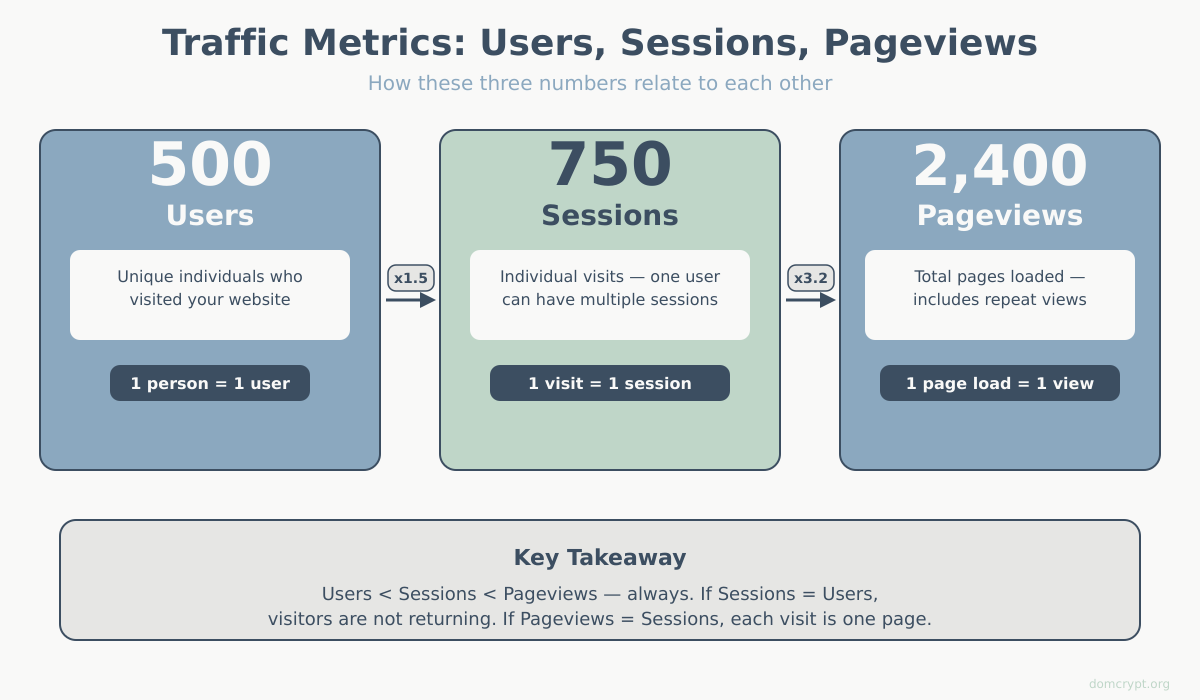
These three terms appear in almost every analytics report. Understanding how they differ is fundamental.
1. Users
A user is a unique visitor to your website, identified by a browser cookie or device ID. If someone visits your site on Monday and returns on Friday using the same browser, they count as one user with two sessions.
Why it matters: Users tell you the size of your actual audience, not just how many times pages were loaded.
2. Sessions
A session is a single visit to your website. It starts when someone arrives and ends after 30 minutes of inactivity (by default) or at midnight. According to Google’s documentation, session timeout can be customized in GA4.
One user can have multiple sessions. If you visit a site in the morning and again in the evening, that’s one user, two sessions.
Why it matters: Sessions help you understand how often people return and how they behave during each visit.
3. Pageviews
A pageview is recorded every time a page loads. If a visitor views your homepage, clicks to your pricing page, then returns to the homepage, that’s three pageviews.
Why it matters: Pageviews show which content gets the most attention and how deeply people explore your site.
| Term | What It Counts | Example |
|---|---|---|
| Users | Unique visitors | 500 different people visited this week |
| Sessions | Individual visits | Those 500 people made 750 total visits |
| Pageviews | Page loads | During those visits, 2,400 pages were viewed |
Engagement Metrics: Web Analytics Terms for Measuring Quality
High traffic means nothing if visitors leave immediately. These metrics reveal whether people actually engage with your content.
4. Bounce Rate
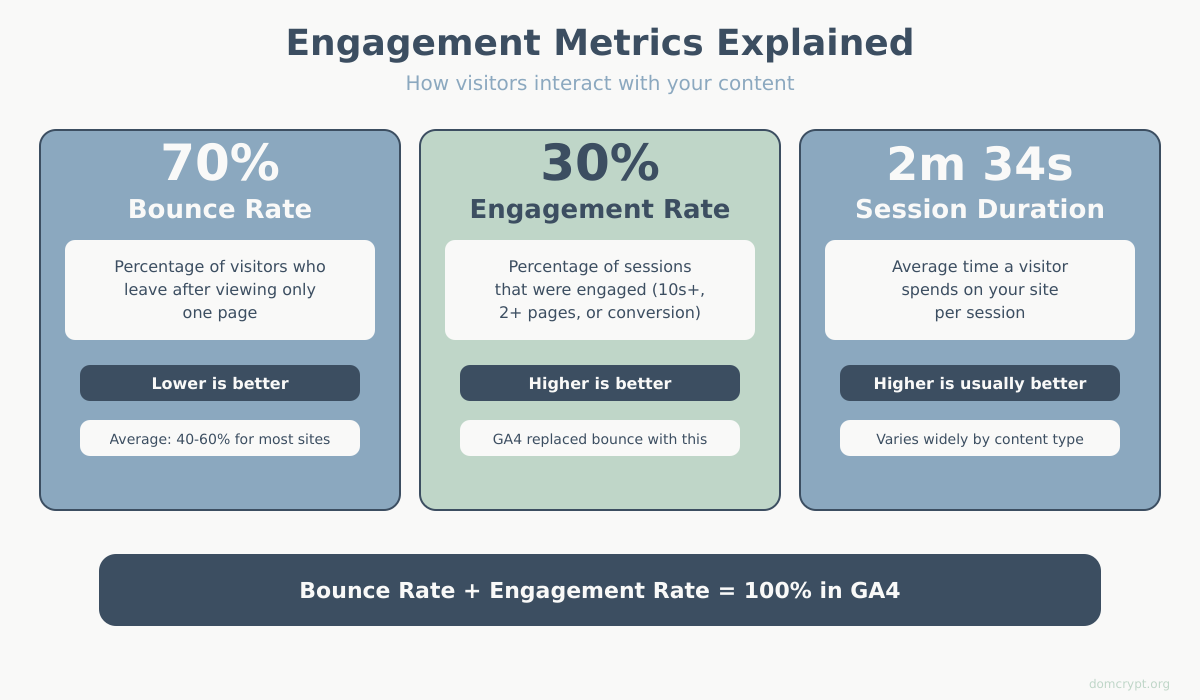
Bounce rate is the percentage of sessions where a visitor lands on a page and leaves without any interaction — no clicks, no scrolls tracked, nothing.
A 70% bounce rate means 70 out of 100 visitors left after viewing just one page without engaging.
Context matters: A high bounce rate on a blog post might be fine (they read it and left satisfied). A high bounce rate on a product page is a problem. GA4 changed how bounce rate works — see our detailed comparison of bounce rate vs engagement rate in GA4.
5. Engagement Rate (GA4)
Google Analytics 4 introduced engagement rate as a more useful alternative to bounce rate. A session counts as “engaged” if it lasts longer than 10 seconds, includes a conversion event, or has at least 2 pageviews.
Why it matters: Engagement rate focuses on positive signals rather than negative ones, giving you a clearer picture of content quality.
6. Average Session Duration
Session duration measures how long visitors spend on your site during a single session. It’s calculated from the first pageview to the last recorded interaction.
Limitation: If someone reads your page for 10 minutes but never clicks anything else, analytics can’t measure that time accurately. The session might show as 0 seconds.
Acquisition Terms: Where Visitors Come From
Understanding traffic sources helps you know which marketing channels work.
7. Traffic Source / Channel
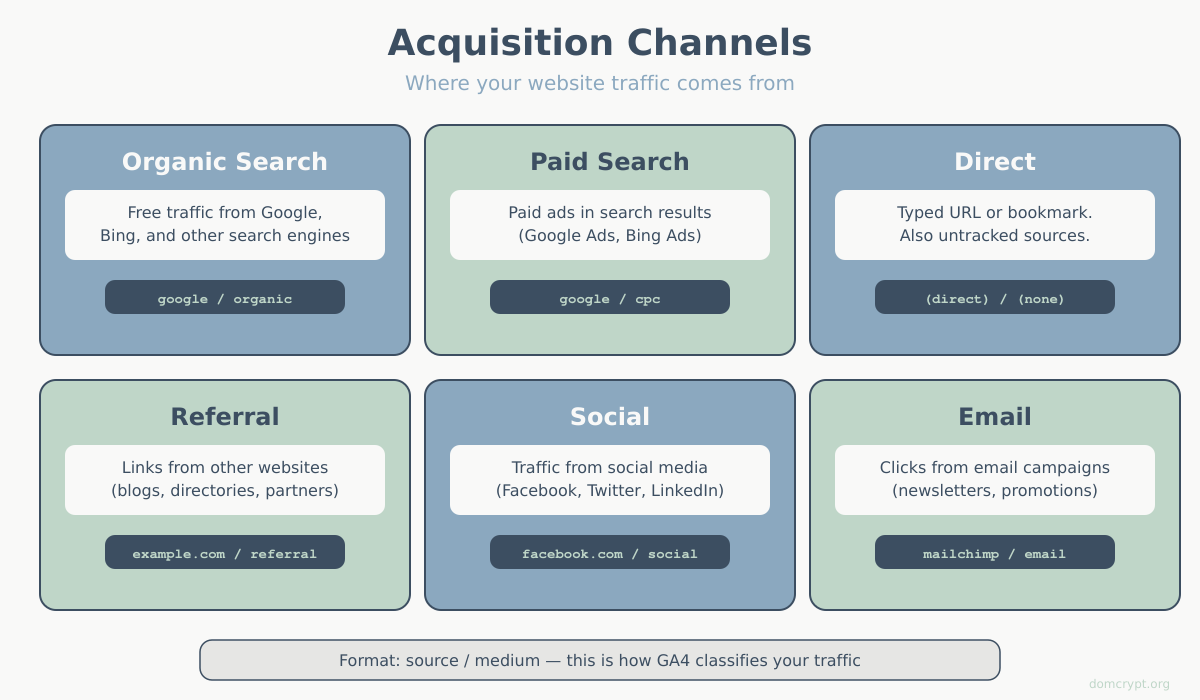
A traffic source is where your visitor came from before landing on your site. Analytics groups these into channels:
- Organic Search — visitors from unpaid search results (Google, Bing)
- Paid Search — visitors from search ads
- Direct — visitors who typed your URL or used a bookmark
- Referral — visitors who clicked a link on another website
- Social — visitors from social media platforms
- Email — visitors from email campaigns
8. Referral
A referral occurs when someone clicks a link on another website and lands on yours. The referring site gets credit for sending that visitor.
Example: If a blog links to your article and someone clicks it, that visit shows as a referral from that blog’s domain.
9. Landing Page
The landing page is the first page a visitor sees when they arrive at your site during a session. It’s not necessarily your homepage — it could be any page they found through search, ads, or links.
Why it matters: Landing pages are your first impression. High bounce rates on specific landing pages signal problems with content or user expectations.
Conversion Terms: Web Analytics Terms for Measuring Success
Traffic and engagement matter, but ultimately you need visitors to take action.
10. Conversion
A conversion happens when a visitor completes a desired action: making a purchase, signing up for a newsletter, submitting a contact form, or downloading a resource.
What counts as a conversion depends on your business goals. For an e-commerce site, it’s a purchase. For a B2B company, it might be a demo request.
11. Conversion Rate
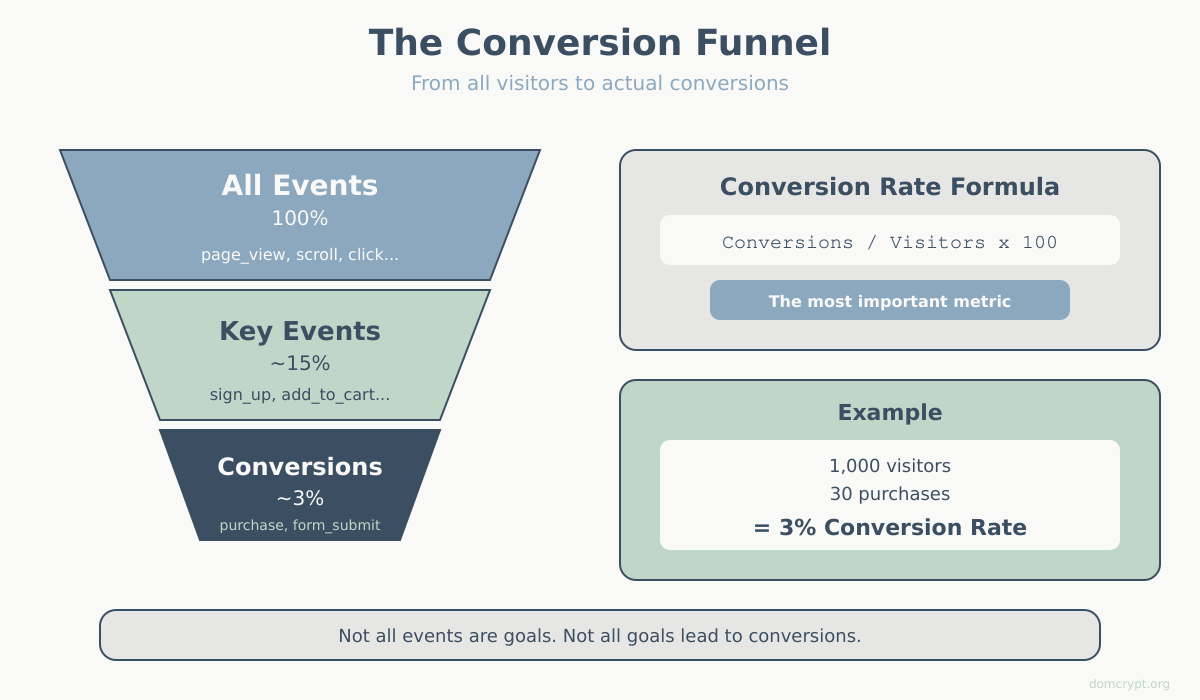
Conversion rate is the percentage of visitors (or sessions) that result in a conversion.
Formula: (Conversions ÷ Total Visitors) × 100
If 1,000 people visit your site and 30 make a purchase, your conversion rate is 3%.
Benchmark: E-commerce conversion rates typically range from 1-4% according to industry benchmarks. B2B lead generation might see 2-5%. But “good” depends entirely on your industry and traffic quality.
12. Event
An event is any user interaction you want to track: button clicks, video plays, file downloads, form submissions, scroll depth. In GA4, everything is an event — even pageviews.
Events let you measure specific actions beyond just “they visited the page.”
13. Goal
A goal (called a “conversion” in GA4) is an event you’ve marked as important to your business. Not every event is a goal, but every goal is tracked as an event.
Example: You might track dozens of events (button clicks, video plays), but only mark “purchase completed” and “lead form submitted” as goals.
Advanced Web Analytics Terms
Once you’re comfortable with the basics, these terms unlock more sophisticated analysis.
14. Attribution
Attribution is the process of assigning credit to marketing channels for conversions. If someone discovers you through Google, later clicks a Facebook ad, then converts from an email — which channel gets credit?
Different attribution models answer this differently:
- Last-click — all credit to the final touchpoint (email)
- First-click — all credit to the first touchpoint (Google)
- Linear — equal credit to all touchpoints
- Data-driven — credit based on actual impact (requires significant data)
For a deeper look at how each model works and when to use it, read our complete guide to attribution models.
15. Segment
A segment is a subset of your data filtered by specific criteria. Instead of looking at all users, you might create segments for:
- Mobile users only
- Visitors from a specific country
- Users who made a purchase
- New vs. returning visitors
Segments help you compare behavior across different audience groups and find insights hidden in aggregate data.
Quick Reference Table
| Term | Definition |
|---|---|
| User | A unique visitor identified by cookie/device |
| Session | A single visit to your website |
| Pageview | One page load |
| Bounce Rate | % of single-page sessions with no interaction |
| Engagement Rate | % of sessions that were “engaged” (GA4) |
| Session Duration | Time spent on site per visit |
| Traffic Source | Where visitors came from |
| Referral | Visit from a link on another site |
| Landing Page | First page viewed in a session |
| Conversion | A completed desired action |
| Conversion Rate | % of visitors who convert |
| Event | Any tracked user interaction |
| Goal | An event marked as business-important |
| Attribution | Assigning conversion credit to channels |
| Segment | A filtered subset of your data |
What’s Next
Knowing these web analytics terms is the first step. The real skill is using them together to answer business questions:
- “Which traffic sources bring visitors who actually convert?” — combine acquisition and conversion data
- “Is our new landing page working?” — compare bounce rate and conversion rate before and after
- “Who are our best customers?” — create segments based on purchase behavior
Start with the basics: check your traffic metrics weekly, understand where visitors come from, and track at least one conversion that matters to your business. For a practical guide to the 10 key website metrics that actually matter, that is a great next step. The rest builds from there.
Ready to put these terms into practice? Learn what web analytics is and why it matters, or dive into our complete GA4 guide.