GA4 Ecommerce Tracking: Which Events to Send and How to Verify Them
An empty Monetisation report on a store that clearly makes sales is one of the most common problems in GA4 — and it is almost never a reporting bug. It is the tracking sending events GA4 does not recognise, or sending the right events without the data they need to carry. This guide covers which events to send, what has to be inside them, and how to confirm they arrived before you trust a single revenue number.
Ecommerce measurement sits on top of a working install, so a clean GTM setup should be in place first — everything below assumes tags fire reliably.
The Funnel GA4 Expects
GA4 builds its ecommerce reports from a fixed list of recommended event names. Use them and the reports fill themselves in; invent your own and the data lands in the property but never becomes a funnel.
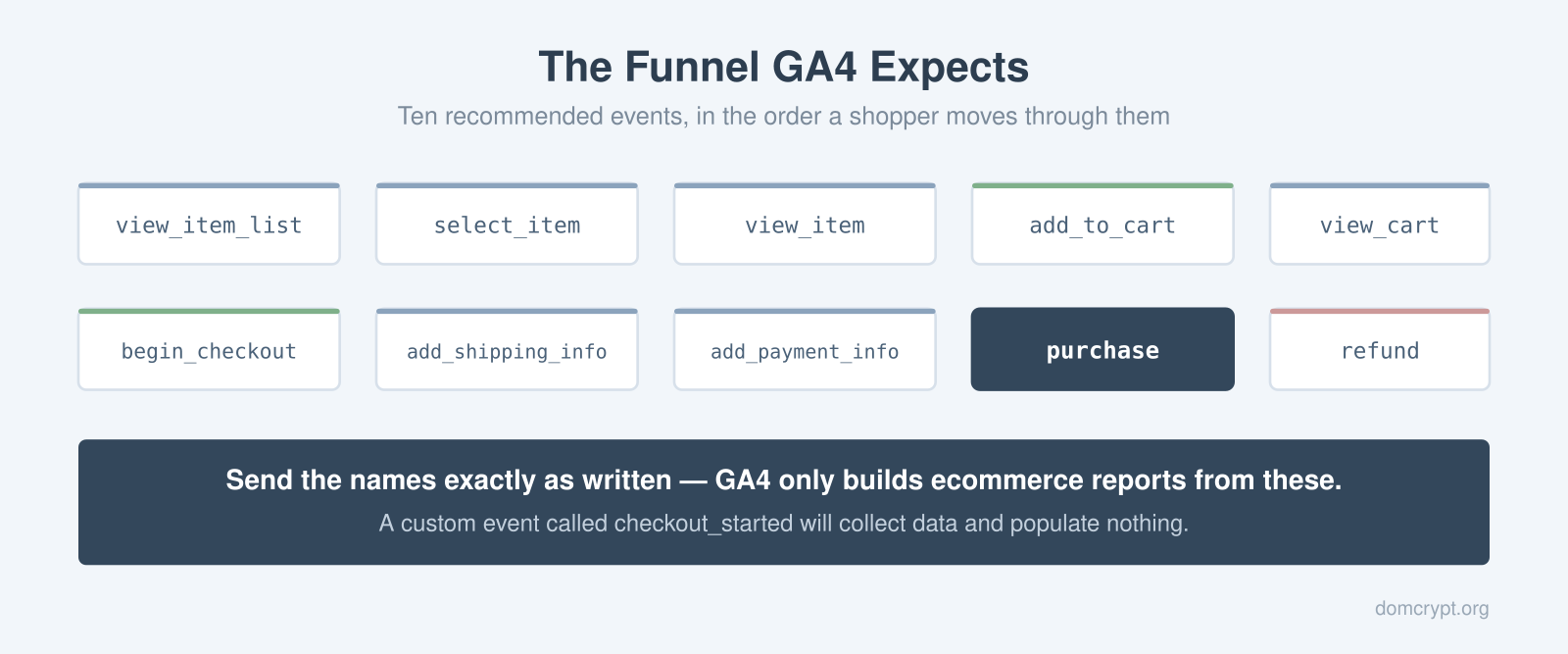
The official list runs from view_item_list and select_item through view_item, add_to_cart, view_cart, begin_checkout, add_shipping_info, add_payment_info, purchase and refund. Names are case-sensitive and matched exactly. An event called checkout_started is a perfectly valid custom event that will collect data forever and populate no ecommerce report at all.
Few stores need all ten on day one. The minimum that produces a usable funnel is view_item, add_to_cart, begin_checkout and purchase — four events that answer where shoppers drop out. Add the rest once those are verified rather than deploying everything at once and debugging ten things simultaneously.
Every Event Carries the Same items Array
The shape of the payload barely changes across the funnel: an items array describing the products, plus currency and value when money is involved. Learn it once at add_to_cart and the rest is repetition.
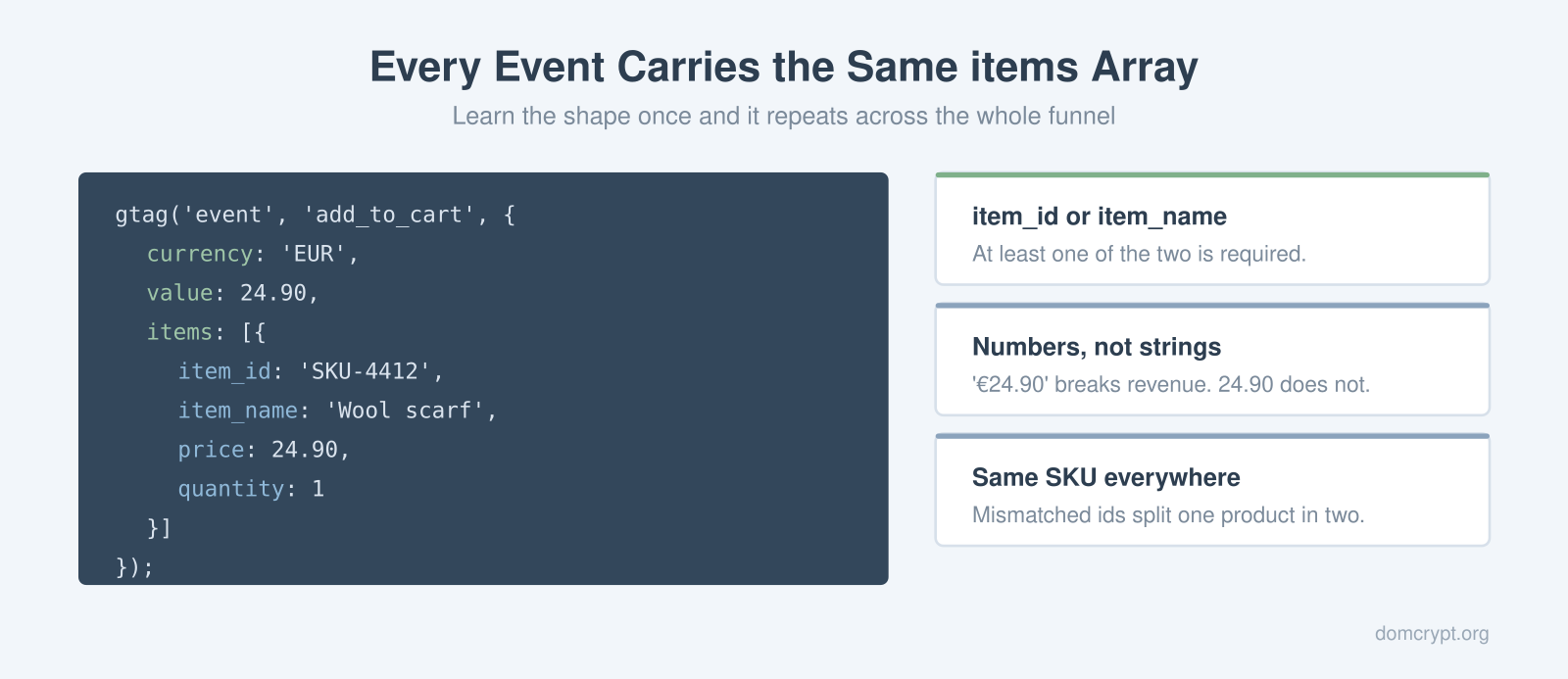
Each entry in items needs at least an item_id or an item_name, and in practice you want both alongside price and quantity. Two details cause most of the damage here. Prices and quantities must be numbers — a string like '€24.90' will not aggregate into revenue. And the product identifier has to be the same value everywhere it appears, because a SKU written one way on the product page and another way at checkout becomes two separate products in your reports, each with half the story.
Where the data comes from matters as much as its shape. Pulling items from a data layer your platform populates keeps the values consistent with what the store actually charged. Rebuilding the array by scraping the page tends to work until someone changes a template.
What purchase Must Carry
The purchase event is where accuracy stops being cosmetic, and it has four required parameters rather than the usual flexibility.
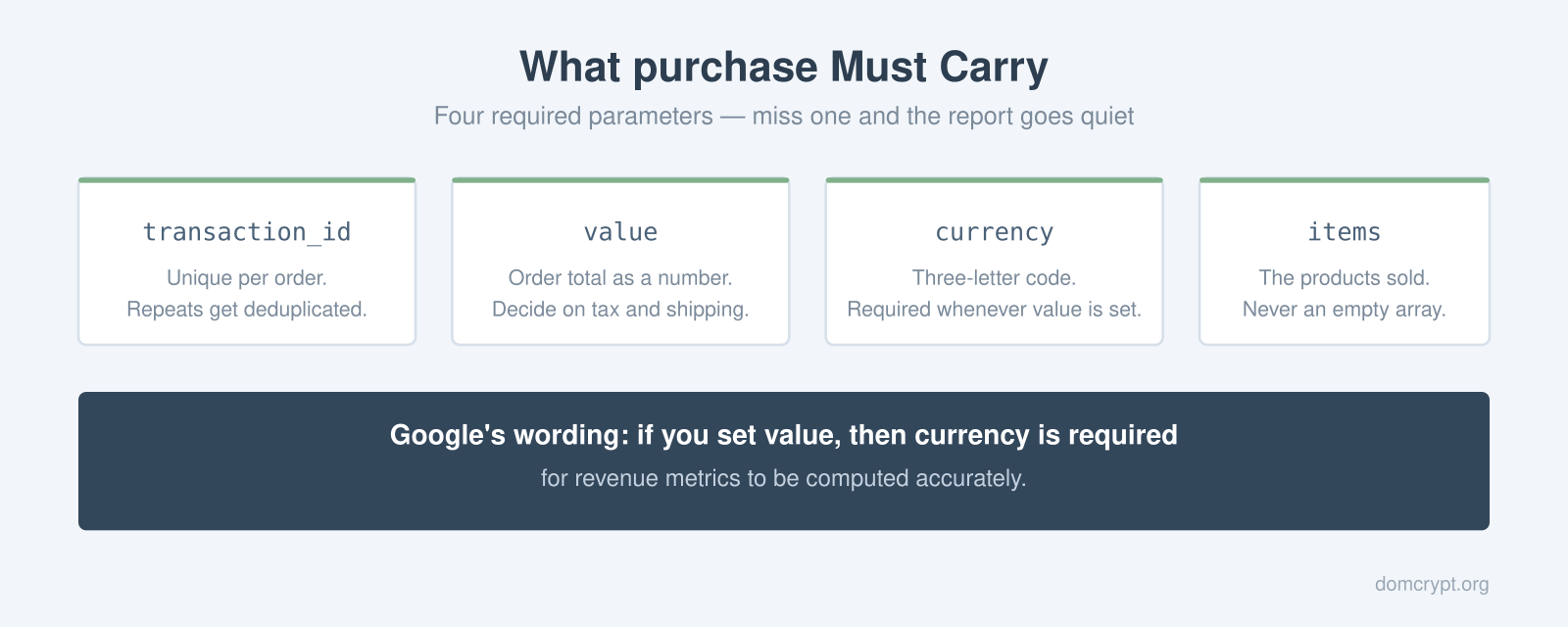
transaction_id must be unique per order. It is what lets GA4 discard duplicates, which matters more than it sounds: a thank-you page that a customer refreshes twice will otherwise book the same revenue three times. value is the order total as a number, and you need a decision — documented somewhere — about whether it includes tax and shipping, because inconsistency between the store’s figures and GA4’s is usually traced back to nobody having made that call.
On currency, Google’s own wording is unambiguous: if you set value, then currency is required for revenue metrics to be computed accurately. Send a three-letter code such as EUR or USD, and send it on the event rather than assuming the property default covers you. Finally, items must describe what was actually sold — an empty array produces a transaction with revenue and no products, which breaks every product-level report you would want afterwards.
Verifying Before You Trust It
Standard reports take up to a day to populate, so testing there means waiting a day to learn you made a typo. DebugView shows the same events within seconds and lets you open each one to inspect the parameters that came with it.
Run a real test transaction end to end and watch the sequence arrive: view_item, add_to_cart, begin_checkout, purchase. On the purchase event, check the four required parameters are present and that value matches the order total to the cent. Then place a second test order and confirm the transaction ids differ.
The comparison that catches everything else is against the store’s own back office. Take a full day of orders, and compare count and revenue with what GA4 recorded. A small gap is expected — consent refusals and ad blockers cost you some events. A gap of half suggests the purchase event only fires on one payment path, which is a common failure when a store added a second checkout method later.
Once purchases are landing correctly, mark the event as a conversion so it flows into your conversion tracking, and the drop-off between begin_checkout and purchase becomes readable as cart abandonment rather than a mystery.
Where to Start
Deploy the four core events first, verify each one in DebugView the same afternoon, and reconcile a day of revenue against your back office before anything gets reported upward. Only then extend to the list and cart events — they enrich the picture, and they are worth nothing until the purchase number is one you would defend in a meeting.